Java Classes and Objects.

Java is an Object-Oriented Programming Language and writing a program in Java is totally different from any other Object-Oriented Programming Language like C++ or Python. In Java, it is necessary to create a class before writing any solution to any programming question. 

Why it is important to create a Class in Java?

The property of the class is to combine all the properties and behaviors of an object in a program into a single unit.  A class is a template or blueprint that describes the behavior/states that an object of its type supports. 

What is an Object?

Any real-world entity with well-defined properties is called an Object. An Object will have a state, behaviors, and unique identity. An object can be tangible (physical entity) or intangible (cannot be touch or feel). 

There are three main characteristics of Objects, 

  • State: Represents the data of an object. 
  • Behavior: Represents the behavior of an object such as deposit, withdrawal, etc. 
  • Identity: It is used internally by the JVM to identify each object uniquely. 

What is a Class?

A class defines its object properties and object behavior through methods. A class is a template for a collection of objects that share a common set of attributes and behavior. In the perspective of Object-Oriented programming, a class is a description of the object. It describes the data that each object possesses and it also describes the various behaviors of the object. 


In the above example, you can see a class name Car and with its three different objects Car1, Car2, and Car3 having their own behavior and identity. 
Example of class:
public class Car {
   String carColor;
   String carBrand;
   String fuelType;
}

Example of object:
Car objCar = new Car();

Attribute Declaration. 

Attributes / Fields are used to declare the properties of a class. These attributes are called instance variables. They can be intrinsic types like int, boolean, etc, or user-defined types. 

example: private double salary;

Method Declaration. 

Methods describe the responsibility of the class. These methods are common for all objects. Hence they are known as instance methods. A method always has a name and a return type and it can accept parameters. 

example:
public void calculateArea(int height) {
     int result = height*height;
  System.out.println(result);
}  

Read Input From User in Java.

Java User Input

In Java, Input can be read from the keyboard in many ways. One such way is to use the predefined/inbuilt class Scanner which is present in java.util package. Predefined/inbuilt classes in Java are organized in the form of packages. To use Scanner class, include package java.util using import statement as:

//import just a Scanner class
import java.util.Scanner;

//import the entire package java.util
import java.util.*;

Next, create a Scanner object to give input from the system from the given keyboard.

  • Scanner sc = new Scanner(System.in);
import java.util.Scanner;

public class Main
{
	public static void main(String[] args) {
		Scanner sc = new Scanner(System.in);
		
		System.out.println("Enter Roll No: ");
		int rollNo = sc.nextInt(); //integer input
		
		System.out.println("Enter Student name: ");
		String name = sc.next();  //single word input
		
		System.out.println(rollNo+" : "+name);
	}
}
Output:
Enter Roll No:
112
Enter Student name:
John
112 : John

Like in the above example, the Scanner class has methods to get input of various data types. 

Methods Data Type
nextInt() Integer
nextFloat() Float
nextDouble() Double
nextLong() Short
nextBoolean() Boolean
next() Single word (String without space)
nextLine() String without space
* For next() :even if you try to input multiple words, the will takes the first word only as input


Important note: Reading String using nextLine().

Scanner sc = new Scanner(System.in);

System.out.println("Enter the Student name: ");
String name = sc.next();

System.out.println("Enter the Address: ");
String address = sc.nextLine();

System.out.println("Name: "+name+" Address: "+address);

When you will execute the above code, the address will not be taken as input because Scanner skips the nextLine() when it is used after the next() or nextXxx() (ex: nextInt()) method. It is because the next() reads only the String, not the new line, and nextLine() consumes the next line (\n) as input, hence no input is received. 

To overcome this problem, when using nextLine() after next() or nextXxx(), consume the new line by including the statement sc.nextLine(). See the below example to understand more. 

import java.util.Scanner;

public class Main
{
	public static void main(String[] args) {
		Scanner sc = new Scanner(System.in);
		
		System.out.println("Enter Roll No: ");
		int rollNo = sc.nextInt();
		
		//captures the new line 
		sc.nextLine(); 
		System.out.println("Enter Student Full Name: ");
		String name = sc.nextLine();
		
		System.out.println(rollNo+" : "+name);
	}
}
Output:
Enter Roll No: 
112
Enter Student Full Name: 
John Gupta
112 : John Gupta

Binary Search Algorithm in Java.

Given a sorted integer array arr[] of size n and a target element X, the task is to write a Java program to find and return the index of the target from the given array. Return -1 if the target element is not present in the array.

Example:

Input: arr[] = {1, 2, 3, 4, 5, 6, 8} X = 4
Output: Element found at index 3

Input: arr[] = {3, 5, 10, 11, 12} x = 6
Output: Element not found in the array

Binary search and Linear search are the two most popular search algorithms and binary search is more efficient because its time complexity is less than linear search. But the important thing to note is that binary search is only applicable to a sorted array. 


Binary Search Algorithm.

The Binary Search Algorithm is based on the idea of comparing the target value with the middle element of the array. If the target value is equal to the middle value of the array then searching is complete. If they are not equal and the target value is smaller than the middle value, we will continue searching on the left side of the array. If the target value is larger than the middle value, we will continue searching on the right side of the array. 


Steps for Binary Search Algorithm:

  • Initialize the left and right pointer as low = 0, high = n-1. 
  • While low <= high, compare the middle element arr[mid] of the array with target value x. 
  • If the middle element matches with target arr[mid] = x, return the index of the middle element mid.
  • If the target is less than the middle element arr[mid] > x, continue searching the left half. (high = mid - 1)
  • If the target is larger than the middle element arr[mid] < x, continue searching the right half. (low = mid + 1)
  • If the target element is not found, return -1.

Java Program for Binary Search Using Iteration.

// Java code to search the target element using binary search
public class BinarySearch {

    public static int binarySearch(int[] arr, int target) {
        int left = 0, right = arr.length - 1;

        while (left <= right) {
            int mid = left + (right - left) / 2;

            if (arr[mid] == target) {
                return mid;
            } else if (arr[mid] < target) {
                left = mid + 1;
            } else {
                right = mid - 1;
            }
        }

        return -1; // Element not found
    }

    public static void main(String[] args) {
        int[] arr = {1, 2, 3, 4, 5, 6, 7, 8, 9};
        int target = 5;

        int result = binarySearch(arr, target);

        if (result != -1) {
            System.out.println("Element found at index " + result);
        } else {
            System.out.println("Element not found in the array");
        }
    }
}
Output:
Element found at index 4

Time Complexity: Binary search has a time complexity of O(log n), where n is the number of elements in the array. This is because, with each comparison, the size of the remaining array is halved.

Space Complexity: Binary search has a space complexity of O(1). It doesn't require additional memory that scales with the size of the input.

Java Program for Binary Search Using Recursion.

// Java code for Binary Search to target element using Recursion
public class BinarySearch {

    public static int binarySearchRecursive(int[] arr, int target, int left, int right) {
        if (left <= right) {
            int mid = left + (right - left) / 2;

            if (arr[mid] == target) {
                return mid;
            } else if (arr[mid] < target) {
                return binarySearchRecursive(arr, target, mid + 1, right);
            } else {
                return binarySearchRecursive(arr, target, left, mid - 1);
            }
        }

        return -1; // Element not found
    }

    public static void main(String[] args) {
        int[] arr = {1, 2, 3, 4, 5, 6, 7, 8, 9};
        int target = 5;

        int result = binarySearchRecursive(arr, target, 0, arr.length - 1);

        if (result != -1) {
            System.out.println("Element found at index " + result);
        } else {
            System.out.println("Element not found in the array");
        }
    }
}
Output:
Element found at index 4

Time Complexity: O(log n) where n is the size of the given array. 

Space Complexity: O(log n) because extra stack space is required to perform Recursion.

Java Program for Binary Search Using Built-in Function.

In Java, you can use the Arrays.binarySearch() method to perform a binary search on an array. This method is part of the java.util package and is designed to work with arrays that are already sorted.

Java Code:
// Binary Search Built-in Function in Java to search 
// an element in sorted array
import java.util.Arrays;

public class BinarySearch {

    public static void main(String[] args) {
        int[] arr = {1, 2, 3, 4, 5, 6, 7, 8, 9};
        int target = 6;

        // Sorting the array (required for binary search)
        Arrays.sort(arr);

        // Using binarySearch method
        int result = Arrays.binarySearch(arr, target);

        if (result >= 0) {
            System.out.println("Element found at index " + result);
        } else {
            System.out.println("Element not found in the array");
        }
    }
}
Output:
Element found at index 5

Time Complexity: The Arrays.binarySearch() method has a time complexity of O(log n), similar to a standard binary search algorithm.

Space Complexity: The Arrays.binarySearch() method has a space complexity of O(1). It doesn't require additional memory that scales with the size of the input.

Linear Search Algorithm in Java.

Given an integer array of size n and a target element X, the task is to write a Java program to search and return the index of the target element from the given array. Return -1 if the target element is not present in the given array.

Example:
Input: arr[] = {9, 1, 3, 5, 7}  X = 3
Output: Element found at index 2

Input: arr[] = {1, 2, 3, 4, 5, 7, 9}  X = 6
Output: Element not found in the array

This problem can be easily solved by using any search algorithm. In Java, we have two searching algorithms Linear Search and Binary Search, and in this article, we will understand the workings of Linear Search Algorithm and how to use it to find a target element in the given array.

Linear Search Algorithm.

Linear search is a simple searching algorithm that finds the position of a target value within a list. It sequentially checks each element of the list until a match is found or the entire list has been searched.

Step-by-step Algorithm:

Step 1: Start from the first element of the array.
Step 2: Compare the target value with the current element:
  • If it matches, return the index.
  • If it doesn't match, move to the next element.
Step 3: Repeat step 2 until a match is found or the end of the array is reached.
Step 4: If the end of the array is reached and no match is found, return -1 to indicate that the element is not present in the array.
Linear Search Algorithm Image

Pseudo Code for Linear Search Algorithm.

function linearSearch(arr, target):
    for i from 0 to length of arr - 1:
        if arr[i] equals target:
            return i
    return -1

Java Program for Linear Search Algorithm.

// Java code for linear search algorithm to find and
// return the index of searching element
public class LinearSearch {

    public static int linearSearch(int[] arr, int target) {
        for (int i = 0; i < arr.length; i++) {
            if (arr[i] == target) {
                return i;
            }
        }
        return -1;
    }

    public static void main(String[] args) {
        int[] arr = {4, 2, 7, 1, 9, 5};
        int target = 7;

        int result = linearSearch(arr, target);

        if (result != -1) {
            System.out.println("Element found at index " + result);
        } else {
            System.out.println("Element not found in the array");
        }
    }
}
Output:
Element found at index 2
  • Time Complexity: In the worst case, linear search has a time complexity of O(n), where n is the number of elements in the array. This is because, in the worst scenario, we may have to go through the entire array to find the element.
  • Space Complexity: Linear search has a constant space complexity of O(1). It doesn't require additional memory that scales with the size of the input.

Linear search is straightforward and effective for small datasets or unordered lists. However, for large datasets or lists where the elements are sorted, more efficient algorithms like binary search are preferred.

Arrays Data Structure in Java.

An Array is a reference data type that can hold a fixed number of the same type of data. Array elements are store contiguously and the length of the array is decided when the array is created. We cannot change the array length after creation. 

Array in Java is very different than the array present in other programming languages like C/C++. Some key points to note about Array in Java. 

  • In Java, arrays are dynamically allocated. What does it mean? It means that we can allocate memory to an array at run time using the heap. 
  • Arrays are objects in Java and we can use several array properties on them like we can use object property length to know the size of the array. 
  • We can specify the size of the array using int and short data type only. 
An array in Java can hold primitive data like int, char, long, etc, and non-primitive data types like object references. 
Array Indexing

int mark[] = {10, 20, 30, 40 ,50}; //primitive datatype

Employee empList[] = new Employee[3]; //non-primitive datatype

empList[0] = new Employee();
empList[1] = new Employee();
empList[2] = new Employee();

The values that we store in an array are called elements and each element can be accessed by using their index. 

Declaring an Array in Java. 

The two common ways of declaring an array in Java is:

datatype[] arrayName;
        or
datatype arrayName[];

//You can declare array of several different datatype:
int[] arrayInt;
long[] arrayLong;
short[] arrayShort;
float[] arrayFloat;
double[] arrayDouble;
boolean[] arrayBoolean;
char[] arrayChar;
String[] arrayString;

Creating an Array in Java.

An array is created when we allocate memory to an array. 

arrayInt = new int[10]; //creating an array

Initializing an Array in Java.

It is a process of assigning values to each element of the array. 

arrayInt[0] = 10;   //initializing first element
arrayInt[1] = 15;   //initializing second element
arrayInt[2] = 20;   //initializing third element
arrayInt[3] = 25;   //so on..
arrayInt[4] = 30;

Accessing Array Elements in Java. 

We can access any array elements using their index value.

System.out.println(arrayInt[0]); //15
System.out.println(arrayInt[1]); //20
System.out.println(arrayInt[4]); //30

System.out.println(arrayInt[8]); //0
because our array length is 10 but the index 8 is not initialize with any value so by default it assign with 0. 
System.out.println(arrayInt[11]); //Error
We will get "ArrayIndexOutOfBoundsException" because our array length is 10 and we are trying to access index value 11 which is out of its range.


Java program to create integer array and access each element using their index value.  


public class ArrayExample
{
	public static void main(String[] args) {
		//declare an integer 
		int[] array;
		
		//allocating memory to the array 
		array = new int[8];
		
		array[0] = 10;  //initializing first element
		array[1] = 20;  //initializing second element
		array[2] = 30;
		array[3] = 40;
		System.out.println("Element at index 0: "+array[0]); //accessing first element
		System.out.println("Element at index 1: "+array[1]); //accessing second element
		System.out.println("Element at index 2: "+array[2]);
		System.out.println("Element at index 3: "+array[3]);
		System.out.println("Element at index 6: "+array[6]);
	}
}
Output:
Element at index 0: 10
Element at index 1: 20
Element at index 2: 30
Element at index 3: 40
Element at index 6: 0

You can also access array elements using a loop.

public class Main
{
	public static void main(String[] args) {
		//declare an integer 
		int[] array;
		
		//allocating memory to the array 
		array = new int[5];
		
		array[0] = 10;  //initializing first element
		array[1] = 20;  //initializing second element
		array[2] = 30;
		array[3] = 40;
		array[4] = 50;
		
        System.out.println("Length of Array: "+array.length);  
        
		for(int i = 0; i < array.length; i++) {
		    System.out.println("Element at index "+i+":"+array[i]);
		}
	}
}
Output:
Length of Array: 5
Element at index 0:10
Element at index 1:20
Element at index 2:30
Element at index 3:40
Element at index 4:50

An array of Objects. 

An array can also store objects similarly like it stores primitive data types. 

Example:
Student studentList[] = new Student[3];

The array variable studentList[] does not hold an array of Student objects, instead, it holds an array of Student reference variables. To make these variables hold the object, we have to create the object as:

studentList[0] = new Student();
studentList[1] = new Student();
studentList[2] = new Student();


Example of Array of Object in Java.

import java.util.*;

class Student {
    public int stud_roll_no;
    public String studen_Name;
    Student(int rollno, String name) {
        this.stud_roll_no = rollno;
        this.studen_Name = name;
    }
}

public class Main
{
	public static void main(String[] args) {
	    Scanner sc = new Scanner(System.in);
	    
	    //allocating memory to object of type student
		Student studentList[] = new Student[3];
		
		//initializing elements of the array
		for(int i = 0; i < studentList.length; i++) {
		    System.out.println("Enter the rollNo: ");
		    int rollno = sc.nextInt();
		    
		    System.out.println("Enter the name: ");
		    String name = sc.next();
		    
		    studentList[i] = new Student(rollno, name);
		}
		
		//accessing elements of the array 
		for(int i = 0; i < studentList.length; i++) {
		    System.out.println(studentList[i].studen_Name+" Roll no is: "+studentList[i].stud_roll_no);
		}
	}
}
Output:
Enter the rollNo: 
101
Enter the name: 
Rahul
Enter the rollNo: 
102
Enter the name: 
Mohit
Enter the rollNo: 
103
Enter the name: 
Kajal
Rahul Roll no is: 101
Mohit Roll no is: 102
Kajal Roll no is: 103

Multidimensional Arrays in Java.

A multidimensional array is also called an Array of Arrays in which an array holds another array. Each row of the array can contain different lengths. The dimension of the array is decided by the number of square brackets ([ ]) you are adding. These are also known as Jagged Array

  • int[] arr; // 1D array
  • int[][] arr; // 2D array
  • int[][][] arr; //3D array  
Example to 2D Array in Java.
public class Main
{
	public static void main(String[] args) {
		
		int[][] arr = {{1, 2, 3}, {4, 5, 6}, {7, 8, 9}};
		
		for(int i = 0; i < 3; i++) {
		    for(int j = 0; j < 3; j++) {
		        System.out.print(arr[i][j]+" ");
		    }
		    System.out.println();
		}
	}
}
Output:
1 2 3
4 5 6
7 8 8

Array as a Function Argument.

Java passes "objects by reference" and not by values. The array is passed as a reference and not as a copy of individual elements so any change done using array reference will be reflected in the original array. 

Example of an array as a function argument in Java(Sort an Array). 

class SortArray {
    public void sort(int[] newArr) {
        
        int n = newArr.length;
        
        for(int i = 0; i < n; i++) {
            for(int j = 0; j < n-1; j++) {
                if(newArr[j] > newArr[j+1]) {
                    int temp = newArr[j];
                    newArr[j] = newArr[j+1];
                    newArr[j+1] = temp;
                }
            }
        }
    }
}
public class Main
{
	public static void main(String[] args) {
		
		SortArray obj = new SortArray();
		
		int arr[] = {20, 12, 50, 65, 15, 10};
		obj.sort(arr);
		
		for(int i : arr) {
		    System.out.print(i+" ");
		}
	}
}
Output:
10 12 15 20 50 65

The above example program is to sort all the array elements in ascending order. Similarly, we can perform several different operations on an array, like searching an element in an array using different searching methods or sorting the array elements in ascending or descending order. 

Units of Computer Memory Measurement

computer memory measurement

The computer only understands the language of 0 and 1 which is known as binary digits. A bit is a binary digit that can hold only one value either 0 or 1.  A bit is a very small unit to work on so we group 8 bits together which is known as bytes. Similarly, 1 Kilobyte of memory is equal to 1024 Bytes. 


Computer Memory Measurement

1 Bit Binary Digit
8 Bits 1 byte
1024 Bytes 1 Kilobyte
1024 Kilobytes 1 Megabyte
1024 Megabytes 1 Gigabyte
1024 Gigabytes 1 Terabyte
1024 Terabytes 1 Petabyte
1024 Petabytes 1 Exabyte
1024 Exabytes 1 Zettabyte
1024 Zettabytes 1 Yottabyte
1024 Yottabytes 1 Brontobyte
1024 Brontobytes 1 Geopbyte
1024 Geopbytes 1 Saganbyte
1024 Saganbytes 1 Pijabyte
Alphabyte 1024 Pijabytes
Kryatbyte 1024 Alphabytes
Amosbyte 1024 Kryatbytes
Pectrolbyte 1024 Amosbytes
Bolgerbyte 1024 Pectrolbytes
Sambobyte 1024 Bolgerbytes
Quesabyte 1024 Sambobytes
Kinsabyte 1024 Quesabytes
Rutherbyte 1024 Kinsabytes
Dubnibyte 1024 Rutherbytes
Seaborgbyte 1024 Dubnibytes
Bohrbyte 1024 Seaborgbytes
Hassiubyte 1024 Bohrbytes
Meitnerbyte 1024 Hassiubytes
Darmstadbyte 1024 Meitnerbytes
Roentbyte 1024 Darmstadbytes
Coperbyte 1024 Roentbytes

Do While Loop in Java.

Java do-while loop is a control flow statement and is very similar to a while loop. It is also used to iterate a block of code repeatedly until the boolean condition is true. 

The only difference between the java do-while loop and the java while loop is that the do-while loop executes the block of code at least once even if the boolean condition is false but the while loop executes the block of code only when the boolean condition is true. 

do while loop syntax

Example: 1 Write a Java Program to print "Hello" four times using a do-while loop. 

public class Main
{
	public static void main(String[] args) {
		
		int i = 1;
		
		do {
		    System.out.println("Hello");
		    i++;
		} while(i < 5);
	}
}
Output:
Hello
Hello
Hello
Hello

Example: 2

public class Main
{
	public static void main(String[] args) {
		
		int i = 1;
		
		do {
		    System.out.println("Hello");
		    i++;
		} while(i > 5);
	}
}
Output:
Hello

Note: In the above second example, "Hello" is printed only one time because the boolean condition is false and when the boolean condition is false in the do-while loop, the block of code executes at least once

While loop in Java.

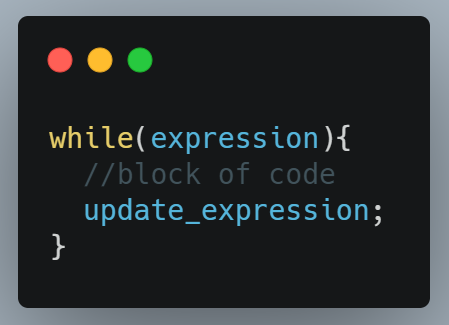
Java while loop is a control flow statement used to iterate a block of code repeatedly until the boolean condition present in the while loop is true. It is mainly used when we don't know the number of iteration in advance. The loop gets automatically stops when the boolean condition returns false. 
while loop in Java

Example: Write a Java Program to sum all numbers from 1 to 10 using a while loop.

public class Main
{
	public static void main(String[] args) {
		
		int i = 1, sum = 0;
		
		while(i <= 10) {
		    sum = sum + i;
		    //increment value of i for next iteration
		    i++;
		}
		System.out.println("Sum: "+sum);
	}
}
Output:
Sum: 55


Example: Write a Java Program to print all-natural numbers from 1 to 10 using a while loop. 

public class Main
{
	public static void main(String[] args) {
		
		int i = 1;
		
		while(i <= 10) {
		    System.out.print(i+" ");
		    i++;
		}
	}
}
Output:
1 2 3 4 5 6 7 8 9 10

For loop in Java.

For loop in Java is used to iterate a part of the program n number of times. There are other types of loops like while loop or do-while loop but they are used when the number of iteration is not known in advance and for loop is used when the number of iteration is fixed or known in advance. 

A simple for loop consists of three parts:

  • Initialization: It is the initial condition of a loop that executes only once before the execution of the code block. 
  • Condition: The loop will keep executing until the condition become false. This condition is tested each time before each iteration. 
  • Increment/Decrement: It executes every time after the block of code gets executed.

Example: Write a Java Program to Print all natural numbers from 1 to 10. (Simple loop)

public class Main
{
	public static void main(String[] args) {
		
		for(int i = 1; i <= 10; i++){
		    System.out.println(i);
		}
	}
}
Output:
1
2
3
4
5
6
7
8
9
10


Example: Write a Java Program to Print 3X3 matrix (nested loop).

public class Main
{
	public static void main(String[] args) {
		
		for(int i = 0; i < 3; i++){
		    System.out.print(i);
		    for(int j = 0; j < 3; j++){
		        System.out.print(" "+j);
		    }
		    System.out.println("\n");
		}
	}
}
Output:
0 0 1 2
1 0 1 2
2 0 1 2


Example: Write a Java Program to Print all the elements of an Array. (for each loop)

Here, we are using a for-each loop to traverse all the elements of an array.  For-each loop syntax is different from simple for loop. 

//syntax of for-each loop
for(type var : arr)
{
//statement;
}

public class Main
{
	public static void main(String[] args) {
		
		int[] arr = {10, 15, 20, 25, 30, 35, 40};
		
		for(int i : arr) {
		    System.out.print(i+" ");
		}
	}
}
Output:
10 15 20 25 30 35 40

Switch case Statement in Java.

Java Switch statement

Java switch case is like if..else statement, it also executes only one block of code from multiple blocks of code present. The data type that can be used to control the switch statement are int, byte, short, char, long and from Java 7 a String literal constant can also be used to control a switch statement. 

Some important points about switch cases in Java.  

  • We can have N number of switch-case statements in Java. 
  • Duplicate values are not allowed or we will get a compilation error. 
  • Data of the value which we provide to the switch case must be the same as the data type of the expression of the switch case. 
  • The datatype which is allowed for switch case expression is int, char, short, byte, and long.
  • Break statement in switch case is to control execution if we remove break then it will execute all the code until it reaches its end or meets new break statement. 
  • The default statement is optional, it gets execute when no expression matches the case. If we remove the default statement then noting will execute in that case. 

Example: Write a Java program to print the month name base on the given number. 


public class Main
{
	public static void main(String[] args) {
		
		int monthNumber = 12;
		
		switch(monthNumber) {
		    case 1:
		        System.out.println("January");
		        break;
		    case 2:
		        System.out.println("February");
		        break;
		    case 3:
		        System.out.println("March");
		        break;
		    case 4:
		        System.out.println("April");
		        break;
		    case 5:
		        System.out.println("May");
		        break;
		    case 6: 
		        System.out.println("June");
		        break;
		    case 7:
		        System.out.println("July");
		        break;
		    case 8:
		        System.out.println("August");
		        break;
		    case 9:
		        System.out.println("September");
		        break;
		    case 10:
		        System.out.println("October");
		        break;
		    case 11:
		        System.out.println("November");
		        break;
		    case 12:
		        System.out.println("December");
		        break;
		    default:
		        System.out.println("Not a valid month number!!");
		}
	}
}
Output:
December

Example: Write a Java program to print the season name based on the given month number.

  • Spring - March, April, May
  • Summer - June, July, August
  • Autumn - September, October, November
  • Winter - December, January, February

public class Main
{
	public static void main(String[] args) {
		
		int monthNumber = 12;
		
		switch(monthNumber) {
		    case 3:
		    case 4:
		    case 5:
		        System.out.println("Spring Season!!!");
		        break;
		    case 6:
		    case 7:
		    case 8:
		        System.out.println("Summer Season!!!");
		        break;
		    case 9:
		    case 10:
		    case 11:
		        System.out.println("Autumn Season!!!");
		        break; 
		    case 12:
		    case 1:
		    case 2:
		        System.out.println("Winter Season!!!");
		        break;      
		    default:
		        System.out.println("Not a valid month number!!");
		}
	}
}
Output:
Winter Season!!!

if...else Statement in Java.

Java  If else statement

In Java, if...else statement is used to check the boolean condition is true or false and based on the outcome, it runs a particular block of code and skips the other block of code present. There are various different ways and conditions in which the if-else statement is used for solving easy and complex problems.  

Example 1: if statement.

The block of code will execute if the boolean condition is true else nothing will execute. 


public class Main
{
	public static void main(String[] args) {
		int age = 18;
		
		if(age >= 18)
		   System.out.println("You are eligible to vote.");
	}
}
Output:
You are eligible to vote.

Example 2: if...else statement.

If the, if condition is true then the block of code present in the if block will get executed otherwise else block code will get executed. 


public class Main
{
	public static void main(String[] args) {
		int age = 17;
		
		if(age >= 18)
		   System.out.println("You are eligible to vote");
		else
		   System.out.println("You are not eligible to vote");
	}
}
Output:
You are not eligible to vote

Example 3: if-else if statement.

If we have more than one condition to check and the particular block of code gets executed whose condition is true. 


public class Main
{
	public static void main(String[] args) {
		
		int mark = 65;
		
		if(mark > 90)
		   System.out.println("Grade A");
		else if(mark > 70 && mark <= 90)
		   System.out.println("Grade B");
		else if(mark > 50 && mark <= 70)
		   System.out.println("Grade C");
		else
		   System.out.println("Fail");
	}
}
Output:
Grade C

Example 4: nested if-else statement.

In the nested if-else block, we get an if-else statement inside another if or else block of code. Inner condition is checked only if the other condition is true and nesting can be done up to any level. 

public class Main
{
	public static void main(String[] args) {
		
		int year = 2024;
		
		if(year % 4 == 0) {
		    if(year % 100 == 0) {  //check if the year is century
		        if(year % 400 == 0)  
		            System.out.println(year+" is a Leap Year");
		        else 
		            System.out.println(year+" is NOT a Leap Year");
		    }
		    else
		       System.out.println(year+" is a Leap Year");
		}
		else
		   System.out.println(year+" is NOT a Leap Year");
	}
}
Output:
2024 is a Leap Year

Operators in Java.

Operators in Java

To perform mathematical and logical manipulation of data we have to use Operators in Java Programming. 

Different types of Operators available in Java:


Operator Types Precedence
Unary Operator x++ x-- ++x --x ~ !
Arithmetic Operator * / % + -
Shift Operator << >> >>>
Relational Operator < > <= >= instanceof == !=
Bitwise Operator & ^ |
Logical Operator && ||
Ternary Operator ? :
Assignment Operator = += -= *= /= %= &= ^= |= <<= >>= >>>=


  • Unary Operator: Unary operators require only one operand to perform operations. 

Example


public class Main
{
	public static void main(String[] args) {
		int x = 10;
		int y = 20;
		boolean b = false;
		System.out.println(x++); //post increment
		System.out.println(x--); //post decrement
		System.out.println(++x); //pre increment
		System.out.println(--x); //pre decrement
		System.out.println(~y);  //minus of total positive value which starts from 0
		System.out.println(!b); //true
	}
}
Output:
10
11
11
10
-21
true

  • Arithmetic Operator: Arithmetic operators are used to performing addition, subtraction, multiplication, division, and modulo(remainder) operations. 

Example: 


public class Main
{
	public static void main(String[] args) {
		int x = 10;
		int y = 20;
		
		System.out.println(x+y); 
		System.out.println(y-x); 
		System.out.println(x*y); 
		System.out.println(y/x); 
		System.out.println(y%x); 
	}
}
Output:
30
10
200
2
0

  • Shift Operator: Shift operators are used to shifting all the bits in a value to the left or right side of a specified number of times based on the type of shift operation like left shift or right shift. 

Example:


public class Main
{
	public static void main(String[] args) {
		int x = 10; 
		int y = 2; 
		System.out.println(x<>y); //Right Shift Operator 10/2^2 = 10/4 = 2
	}
}
Output:
40
2

  • Relational Operator: Relational operators are used to define some kind of relation between two entities. There are two types of relational operators in Java, comparison operator and equality operator. 

Example: 


public class Main
{
	public static void main(String[] args) {
		int x = 10; 
		int y = 5;
		int a = 10;
		int b = 5;
		Main m = new Main();
		System.out.println(x < y);
		System.out.println(y < x);
		System.out.println(y > x);
		System.out.println(x > y);
		System.out.println(x >= a);
		System.out.println(y <= b);
		System.out.println(x == a);
		System.out.println(x != y);
		System.out.println(m instanceof Main);
	}
}
Output:
false
true
false
true
true
true
true
true
true

  • Bitwise Operator: There are three types of bitwise operators, bitwise AND (&) operator, bitwise inclusive (|) OR, and bitwise exclusive OR(XOR) (^). 

Example:


public class Main
{
	public static void main(String[] args) {        
        int a = 14;

    System.out.println("Bitwise AND:"+(a&a));
    System.out.println("Bitwise inclusive OR:"+(a|a));
    System.out.println("Bitwise exclusive OR(XOR):"+(a^a));

    }
}
Output:
Bitwise AND:14
Bitwise inclusive OR:14
Bitwise exclusive OR(XOR):0

  • Logical Operator: There are two types of logical operators, logical AND(&&) which return true when both the condition is true, and logical OR(||) which return true even if any one condition is true (it doesn't check the second condition if the first is true) operators.

Example: 

public class Main
{
	public static void main(String[] args) {
		int x = 10;
		int y = 20;
		int z = 30;
		System.out.println(x < y && x < z); 
		System.out.println(x < y && x > z);
		System.out.println(x < y || x > z);
		System.out.println(x > y || x < z);
		System.out.println(x > y || x > z);
	}
}
Output:
true
false
true
true
false

  • Ternary Operator: Ternary operator in Java can work as a replacement to an if-else statement and is very useful in Java programming. It is called ternary because it takes only three operands. 

Example: 


public class Main
{
	public static void main(String[] args) {
		int x = 10;
		int y = 20;
		int max = x < y ? y:x;
		System.out.println("Maximum: "+max);
	}
}
Output:
Maximum: 20

  • Assignment Operator: Assignment operators are used to assigning the value present on the right side to the operand present on the left side. 

Example: 


public class Main
{
	public static void main(String[] args) {
		int x = 10;
		System.out.println(x);
		x += 5;   //x = x+5
		System.out.println(x);
		x -= 5;  //x = x-5
		System.out.println(x);
		x *= 5;  //x = x*5
		System.out.println(x);
		x /= 5;  //x = x/5
		System.out.println(x);
		x %= 5;  //x = x%5
		System.out.println(x);
		x &= 5;  //x = x&5
		System.out.println(x);
		x |= 5;  //x = x | 5
		System.out.println(x);
		x ^= 5;  //x = x^5
		System.out.println(x);
		x>>=4;   //x = x>>4
		System.out.println(x);
	}
}
Output:
10
15
10
50
10
0
0
5
0
0


Precedence and Associativity in Java.

Precedence and associativity are used when we have to deal with more than one operator in a single equation. Precedence is used to determine the priority of the operators in an equation. If two operators have equal priority in the expression is evaluated through associativity. 

Category Operator Associativity
Postfix () [] .(dot operator) Left to Right
Unary ++ -- ! ~ Right to Left
Multiplicative * / % Left to Right
Additive + - Left to Right
Shift >> >>> << Left to Right
Relational >>= < <= Left to Right
Equality == != Left to Right
Bitwise AND & Left to Right
Bitwise XOR ^ Left to Right
Bitwise OR | Left to Right
Logical AND && Left to Right
Logical OR || Left to Right
Conditional ?: Right to Left
Assignment = += -= /= %= >= <= &= ^= |= Right to Left
Comma , Left to Right

Type Casting in Java.

Implicit type casting in java

Implicit Casting: A lower size data type can be assigned to a higher size data type automatically. It is also called Widening.

byte -> short -> char -> int -> long -> float -> double

Example: char c = 'A';

                int i = c;

Explicit Casting: A higher size data type can be assigned to a lower size data type manually. It is also called Narrowing. 

double -> float -> long -> int -> char -> short -> byte

Example: long val = 10;

                 int x = (int)val;

Example of Implicit Casting.

public class Main
{
	public static void main(String[] args) {
		int x = 8;
		double y = x; //Implicit casting
		System.out.println(x);
		System.out.println(y);
		
	}
}
Output
8
8.0

Example of Explicit Casting.

public class Main
{
	public static void main(String[] args) {
		double x = 8.23;
		int y = (int)x; //Implicit casting
		System.out.println(x);
		System.out.println(y);
	}
}
Output:
8.23
8

Data Types in Java.

Java Data Types

Data types define the values a variable can hold in its lifetime. There are basically two types of data types available in Java:

  • Primitive data types: Primitive data types are the most basic data types that hold a scalar value. It includes boolean, char, short, int, byte, long, float, and double. 
  • Non-primitive (Reference) data types: Non-primitive data types are created by programmers that hold an object. It includes Arrays, Classes, and Interfaces.    
List of 8 primitive data types with their byte size and default value:

Data Type Size(in Bytes) Default Value
byte 1 0
short 2 0
int 4 0
long 8 0
float 4 0.0
double 8 0.0
char 2(UNICODE) '\u0000'
boolean depend on JVM false

  • The formula for Signed data type: -2n-1 to 2n-1-1
  • The formula for Unsigned data type: 0 to 2n-1
  • All integer and floating-point data types are Signed.
  • All character data type is unsigned. 

Byte data type: Byte data type value range between -128 to 127. Its default value is 0 and the minimum value it can hold is -128 and the maximum value it can hold is 127. It is used to store the value when memory saving is the most important requirement. 

Example: byte x = 5;

Short data type: Short data type values range between -32,768 to 32,767 and its default value is also 0. It is used to save the memory just like a byte data type. 

Example: short x = 2000;

Int data type: Int data type values range between -231 to 231-1 and its default value is 0. It is used to store integer types of data whose value is there in the given range.

Example: int a = 234534;

Long data type: Long data type values range between  -263 to 263-1 and its default value is 0. It is used when values go out of the integer range.

Example: long a = 100000L; 

Float data type: Float data type values range is unlimited and used to store floating-point number values. It is preferred to use a float data type instead of double when saving memory is important. Its default value is 0.0F. 

Example: float a = 130.0f;

Double data type: Double data type values range is also unlimited and like float, it is also used to store decimal type values. Its default value is 0.0d.

Example: double a  = 23.4;

Char data type: Char data type values are a single 16-bit Unicode character use to store characters. Its range is between '\u0000' to '\uffff'. 

Example: char ch = 'A';

Reference data types.

A reference variable can be used to refer to any object of the declared type or any compatible type. The value of any reference variable is null. 
Example: Employee emp = new Employee();

Introduction to Java Programming.

Introduction to Java Programming

Java Programming language is developed by James Gosling at Sun Micro System in the year 1995. It is a simple, portable, architecture-neutral, platform-independent, and object-oriented programming language. 

Why Java is Portable?

Java is known as a Portable language because we can execute the Java code on all major platforms. After compilation, your Java source code gets converted into byte code having a .class extension, and those files can be used on any Java-supported platform without any modification. 

Why Java is called an Architecture-neutral language?

Java is called Architecture neutral because the Java program can run on any processor irrespective of its vendor or architecture. It allows its application to compile on one hardware architecture and to execute on another hardware architecture. 

Why Java is called Platform Independent?

Java is called platform-independent because it can be executed on several platforms and does not depend on any type of platform. It is also known as (WORA) Write Once Run Anywhere. 

Why Java is an Object Oriented Programming language?

Java is an Object Oriented Programming language because without using class concepts we cannot write even a single program in Java. Object-Oriented Programming is faster, and easy to execute, and maintain. It also gives us a clear structure of our program. 

Java can run:

  • In a browser as an Applet. 
  • On the desktop as an Application. 
  • In a server to provide services (database access).
  • Embedded in a device. 
Java Editions:
  • Java Standard Edition (J2SE or JSE): Basic tools and libraries to build applications and applets (Standalone applications).
  • Java Enterprise Edition (J2EE or JEE): Tools and libraries to create servlets, Java server pages, etc (Web application).
  • Java Micro Edition (J2ME or JME): Libraries to create applications to run on hand-held devices such as PDAs and cellular phones (device programs and mobile applications).
The three core packages used in Java Programming are JVM, JRE, and JDK and all three are platform dependent because the configuration of each operating system is different but as we all know that Java is platform-independent. 
  • JDK stands for Java Development Kit and it includes development tools such as the Java compiler, Javadoc, Jar, and debugger. 
  • JRE stands for Java Runtime Environment and it contains the part of Java libraries required to run Java programs and is intended for end users. 
  • JVM stands for Java Virtual Machine. It is an abstract machine that provides a runtime environment in which Java bytecode can be executed. 
Any Java code first compiles into byte code (machine-independent code) then the byte code runs on JVM regardless of the architecture of that machine. 

Java Class File. 
  • A programming language such as C/C++ has 1 step execution. 

C++ compiler

  • Java Programming has two-step execution. 
Java Compiler working

How to write a program in Java?

Any code written in Java is written within a block termed a class. The main method in Java program acts as an entry point signature and all Java programs start their execution from the main method. 

A single Java programming language source file may contain one class or more than one class. If a .java file has more than one class then each class will compile into separate class files. 

Example:


class Student
{
  //block of code
}
class Teacher
{
  //block of code
}
class Hello
{
  public static void main(String[] args)  //main method
  {
    System.out.println("Hello World");
  }
}

After compilation, there will be three class files:- 

  • - Student.class
  • - Teacher.class
  • - Hello.class
The main method has to be declared as public static, takes String[] as an argument, and its return type should be void. 
  • To compile a java code type - javac Filename, java
  • To execute the code type- java Filename
Also read:

DON'T MISS

Nature, Health, Fitness
© all rights reserved
made with by templateszoo